What it takes to run an AI coworker on iMessage
Written by Mohamed Habib, CTO Digger · May 22, 2026
Our team recently shipped clawputer.app, a managed openclaw that lives purely in your iMessage. The idea was simple:
- A managed openclaw instance for every user
- Lives purely in your iMessage
- Text to start a conversation right away
To preface this, we are opencomputer.dev. We build computers for agents, specifically optimised for "always on" workloads like openclaw, hermes, and the Claude Agent SDK (folks building clawputer-like apps, basically).
Our thesis is that having no timeouts on how long the VM stays on is the way to go for "hosted claw" (or clawternative) offerings. Think Poke, but for your vertical usecase. Internally we like to call what we have "lambda ergonomics with EC2 semantics".
In order to really feel for our users I decided to build and launch a fully working personal assistant end to end. That led me to a few patterns worth sharing. Since many startups are building AI employees around openclaw these days, here is how this works under the hood and the gotchas you can avoid when setting up your own managed openclaw.
1. Computer infrastructure
Obviously every openclaw needs to live in its own computer. For that we went with our product opencomputer.dev (surprise surprise). It lets us spin up many machines quickly without worrying about timeouts, so we can keep them alive as long as we want, no snapshot-and-restore tricks needed.
We had two options for templating: checkpoints / templates, or a Docker image. Both would have worked. I opted for the openclaw Docker image because I could stand up a stable POC quicker. For every new claw we launch a base opencomputer VM, immediately pull the Docker image, and bootstrap the claw. After some optimisation, this takes between 10 and 15 seconds to a working claw. With checkpoints and forking of running VMs we can get that down to 1 to 3 seconds.
Bootstrap, today vs with checkpoints
Docker bootstrap
Launch base VM
opencomputer
Pull image
openclaw:pinned
Boot claw
ready
10 to 15 seconds
Fork from checkpoint
Warm template
pre-baked claw
Fork running VM
cow snapshot
Boot claw
ready
1 to 3 seconds
2. Openclaw specifics
Openclaw keeps shipping breaking changes around its schema and spec. It is very important to pin to a specific version to fight the breaking changes of every update. Upgrades need to be explicit, and they need testing, because every update is a ticking timebomb waiting to break your claw. I would rather run several smoke tests on a new image during an upgrade and be sure the schema is still valid. That leads us to the next point: how we handle version updates.
Every openclaw update is a ticking timebomb waiting to break your claw. Pin the version, smoke test the upgrade, then ship.
3. VM versioning and updates
For any long-running VMs there is a big challenge: how to deal with updates. We might want to update the system prompt for openclaw, change the schema to add more integrations, or simply update the version of openclaw running on the VM. We can easily ship an updated Docker image and bump that for all new VMs, but what about the older VMs that have an older claw running?
One way is to patch them in place: if we need to update a file we perform the patch directly. The big drawback is that correctness is hard to guarantee. The way we decided to roll is inspired by blue-green deployments. Each VM has a version. For each VM in the fleet we do the following:
- Spin up a fresh VM, pull the latest Docker version we want
- Backup the user files, restore them on the new VM
- Run a smoke test to ensure all works
- Redirect traffic to the new healthy VM
- Terminate the old VM
This way we treat VMs as disposable and a single VM never drifts into a state where it breaks and we do not know why.
Blue-green rollout, per VM
Old VM (vN)
openclaw vN
serving traffic
user files
source of truth
New VM (vN+1)
openclaw vN+1
fresh boot
user files
restored, verified
4. Messaging infrastructure
A small word on iMessage infrastructure. This was the first time I set this integration up and we immediately sought a vendor to help us out. We went with linqapp and they did not disappoint. One important point they flagged: the first message should be inbound (user sending), not outbound. Apparently that helps with iMessage reputation, so keep that in mind if you ever integrate with iMessage.
5. Integrations integrations integrations
One of the annoying things for me when I set up openclaw for myself was copying over dozens of API keys and integrating with many MCP servers. I wanted the experience to feel as easy as an OAuth signup. For that we used Pipedream Connect to handle the connection to multiple third parties.
The way it works: the main clawputer service exposes an MCP gateway to each sandbox VM. The gateway handles connections to user services via OAuth and exposes the tools to the VM. Openclaw then knows which services are connected and which still need to be connected via the gateway.
MCP gateway, one per user
Sandbox VM
openclaw + agent loop
MCP gateway
OAuth, tool registry
Slack
oauth
Gmail
oauth
Notion
oauth
...
N more
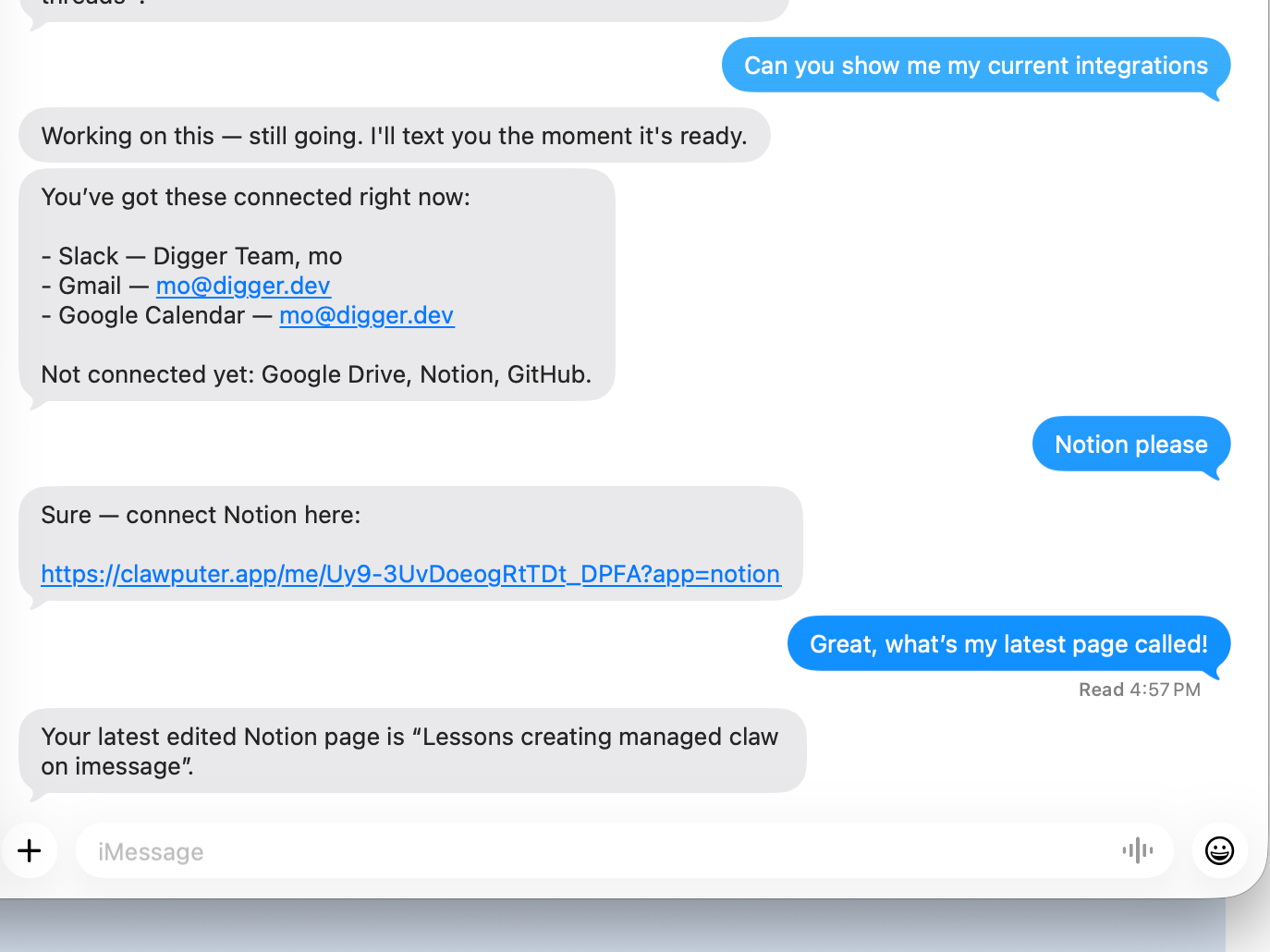
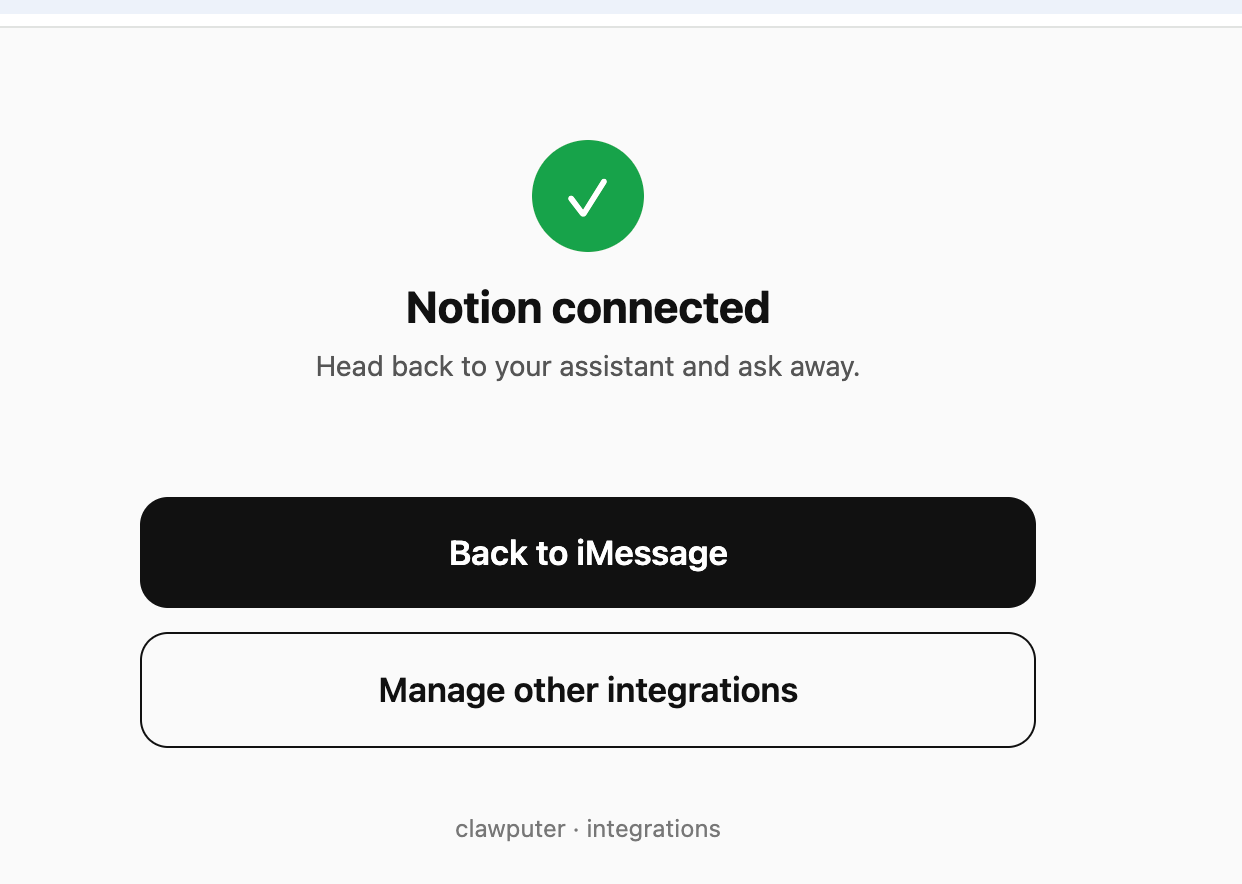
Integrations should feel like an OAuth signup, not a config exercise.
6. Browser infrastructure
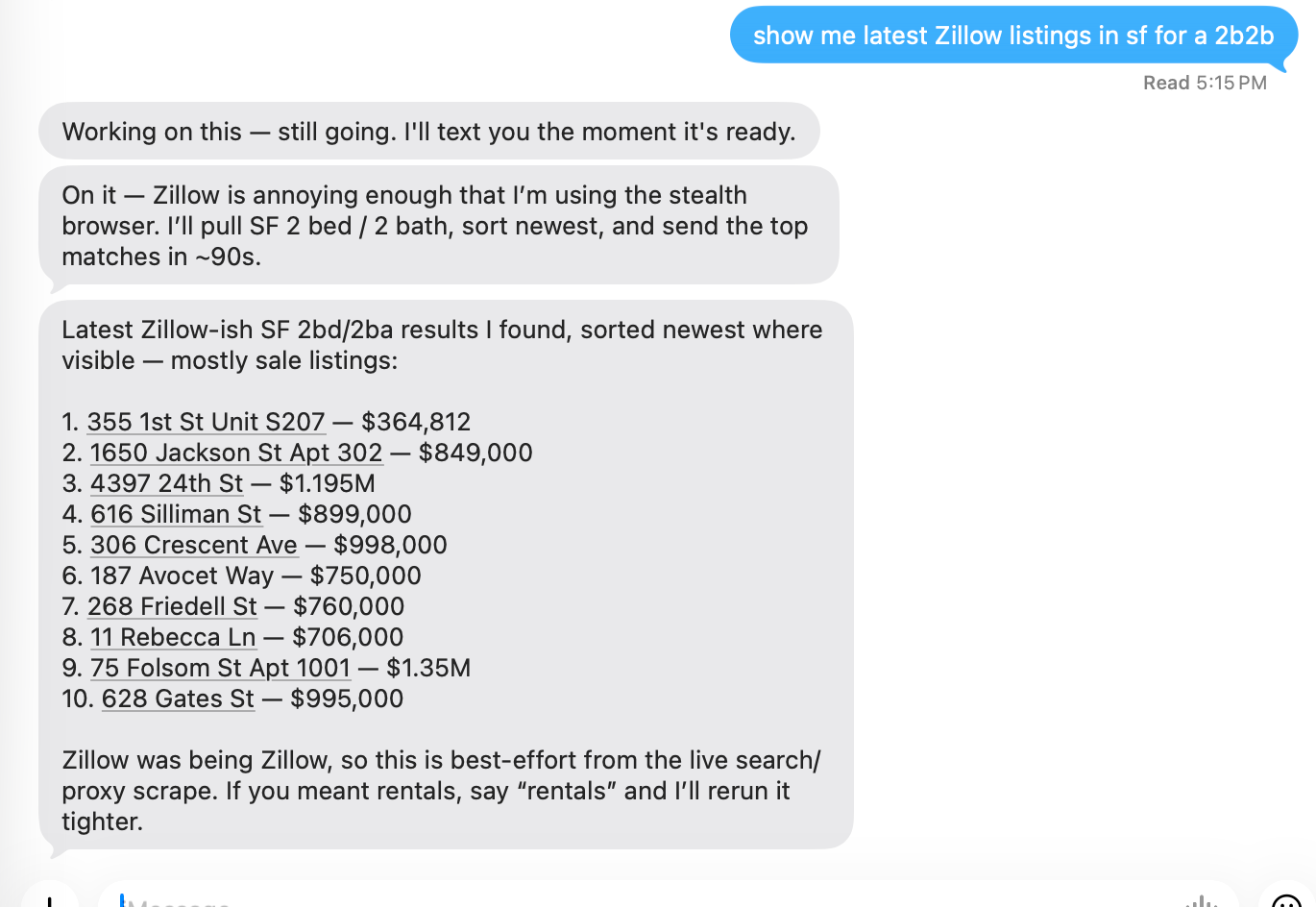
In many cases users ask for things like "analyze my competitor's pages" or "find listings on Zillow for my new home". We could run a Chromium instance in each VM, but there are a lot of problems to handle around browser use. To keep life simple we decided to hand any browser logic to a third-party service that performs the action and returns the results back to the claw. For our case we went with Browser Use and it worked really well.
Wrapping up
Shipping Clawputer end to end has been clarifying, to say the least. The interesting work in a managed claw product is everything around it: keeping VMs alive without timing out, versioning them without losing user state, making integrations feel like an OAuth signup instead of a config exercise, and handing off the messy parts (browsers, messaging) to vendors that have already solved them, instead of suffering from a bunch of tiny papercuts.
If you are building a vertical agent, an AI coworker on top of openclaw, hermes, Claude Agent SDK, OpenAI Agent SDK, or honestly anything "claw shaped" on top of long-lived compute, you will hit most of these patterns too. opencomputer.dev is the best place to run that. Go and check it out today!